

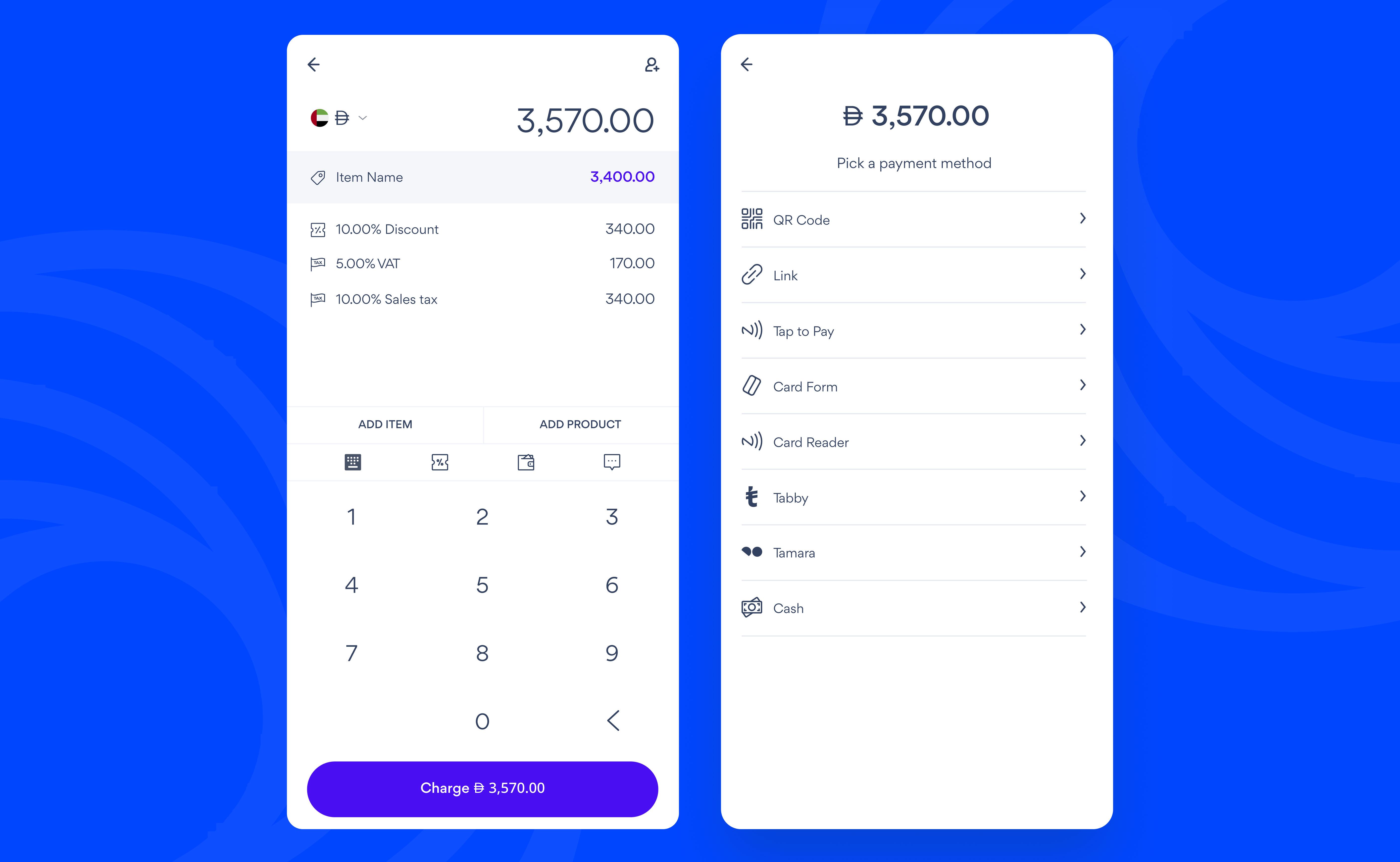
Creating an In-Person Payment
- Tap In-Person
- Enter the price of the product you are selling
- Tap Item Name to add a product name. You can also edit the price and quantity here and tap Save
-
Add extra details (This is optional):
- Tap Add Item to add more products
- Tap Add product to add products from your Catalogue
- Tap % to add a discount
- Tap the Wallet to allow customers to add a tip
- Tap Chat to add a note that describes what you are selling
-
Tap Charge and pick a payment method:
- QR code: Ask your customer to scan the QR code and pay on their own device
- Link: Tap Share to copy or send a payment link to your customer
- Tap to Pay: Tap your customer’s card or phone on your mobile device (Available on USD charges)
- Card Form: Enter your customer’s card details
- Tabby and Tamara: Ask your customer to scan the QR Code and pay from their own phone
- Cash: Enter the amount you received from your customer and tap Collect
- Tap Send Receipt to send a receipt via email