

Link
Link helps you create and manage payment links and track their performance right from your desktop. It’s the perfect solution for collecting payments from customers, no matter where they are.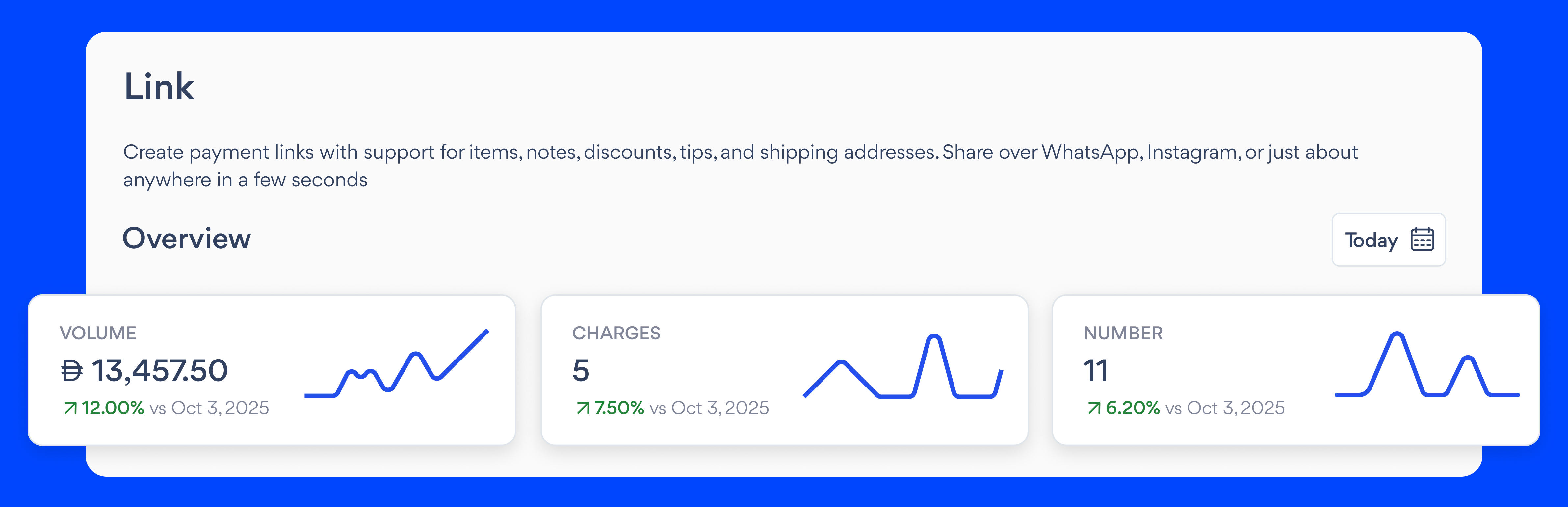
- Volume: Total number of payments made using Links
- Charge: Total fees or deductions applied to all the Links in that period
- Average volume: Average number of payments per Link
Links table
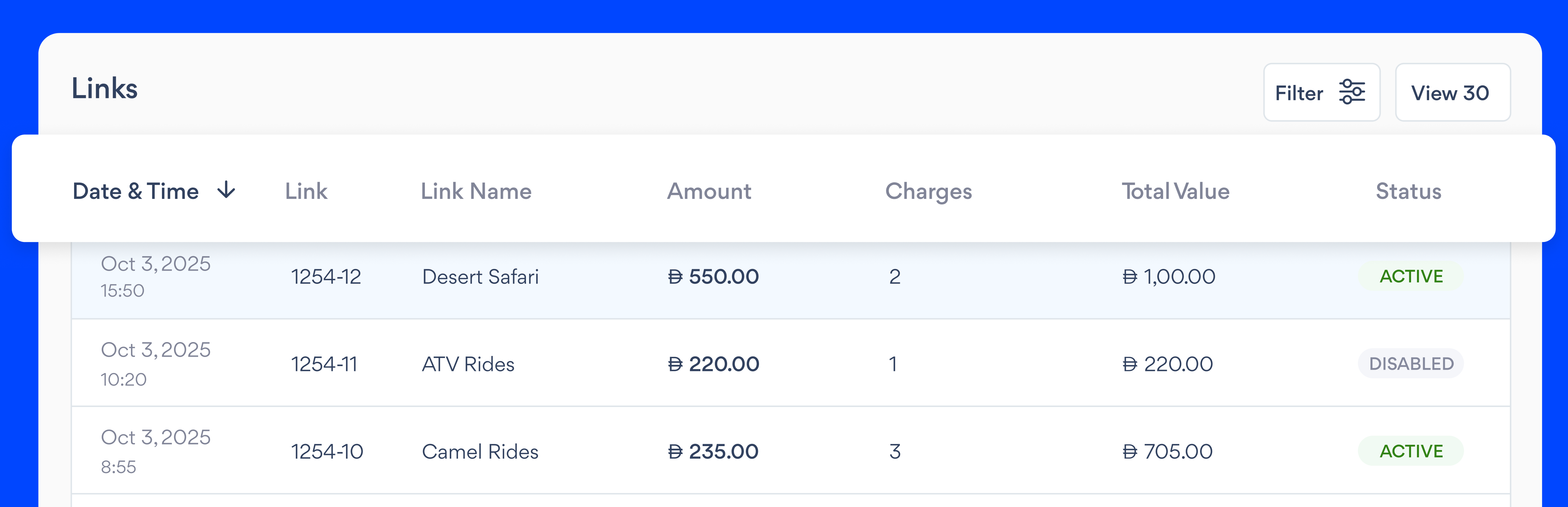
- Created: Date and time the Link was created
- Link #: The distinct identifier for each payment link
- Link Name: The name you gave the Link (For example: “Tote Bag Order”)
- Amount: Amount charged using that Link
- Total value: The total value of all payments made for each payment link
- Status: Current state of the Link (Active, Expired, Disabled)
Invoices
Invoice is your all-in-one solution for creating and managing invoices on your desktop. Easily generate one-time or recurring invoices with built-in reminders and track their payment status from creation to payment, all in one central place.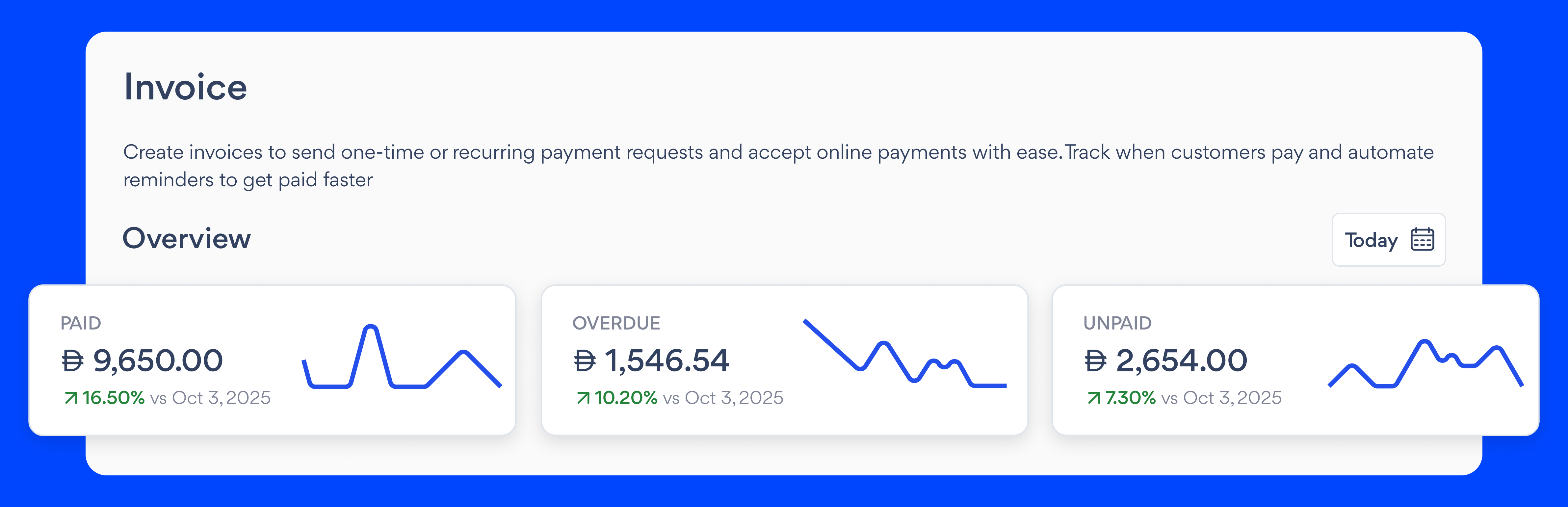
- Paid: Total value of all paid Invoices
- Overdue: Value of past-due Invoices
- Unpaid: Value of unpaid Invoices (excluding overdue)
Invoice table
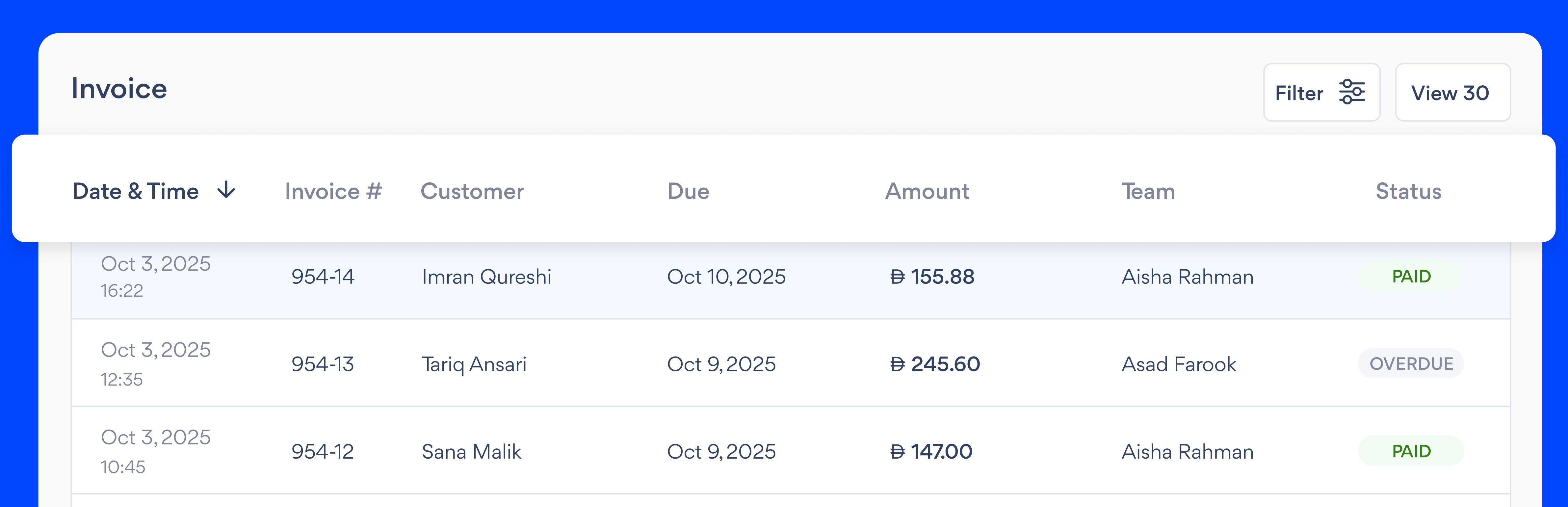
- Created: Date and time the Invoice was created
- Invoice Number: The distinct identifier for each Invoice
- Customer: The person or business being billed for the Invoice
- Due: The payment due date
- Amount: Total billed amount on the Invoice
- Team: The team member who created the Invoice
- Status: Indicates whether the Invoice is Paid, Unpaid, Overdue, or Cancelled